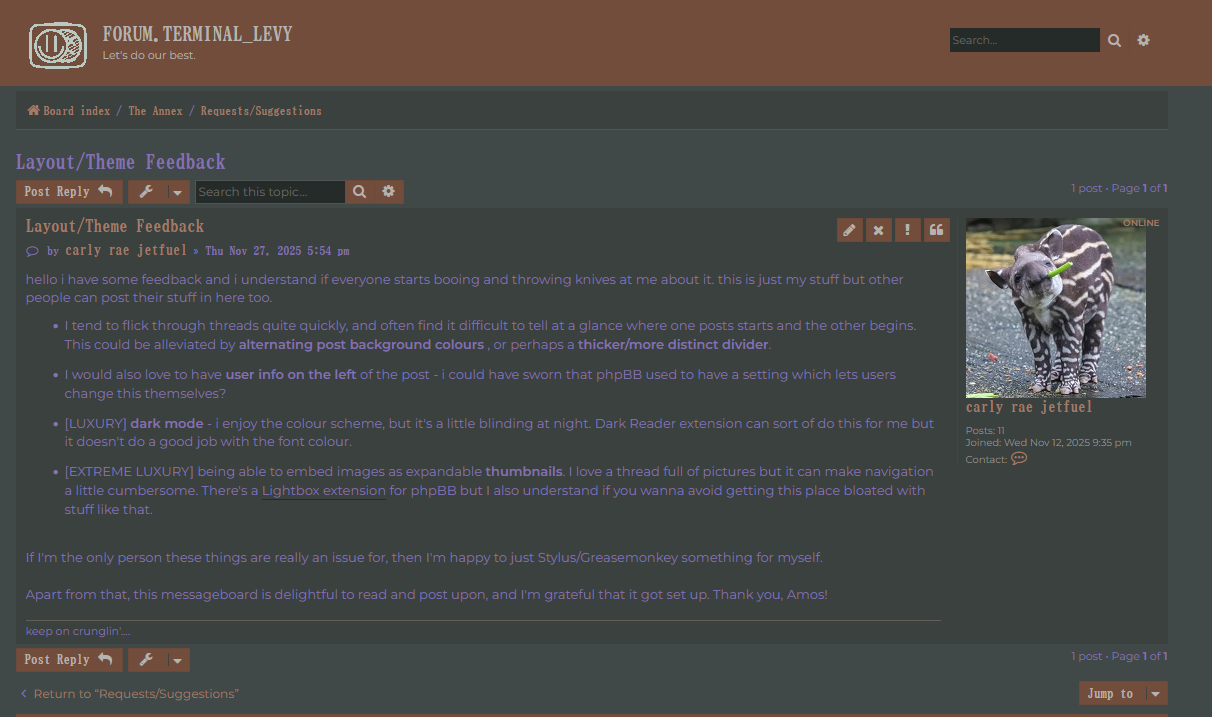
hello i have some feedback and i understand if everyone starts booing and throwing knives at me about it. this is just my stuff but other people can post their stuff in here too.
I tend to flick through threads quite quickly, and often find it difficult to tell at a glance where one posts starts and the other begins. This could be alleviated by alternating post background colours , or perhaps a thicker/more distinct divider.
I would also love to have user info on the left of the post - i could have sworn that phpBB used to have a setting which lets users change this themselves?
[EXTREME LUXURY] being able to embed images as expandable thumbnails. I love a thread full of pictures but it can make navigation a little cumbersome. There's a Lightbox extension for phpBB but I also understand if you wanna avoid getting this place bloated with stuff like that.
If I'm the only person these things are really an issue for, then I'm happy to just Stylus/Greasemonkey something for myself.
Apart from that, this messageboard is delightful to read and post upon, and I'm grateful that it got set up. Thank you, Amos!
Thank you for the feedback! I'm definitely open to adjusting stuff a little bit, though I can't promise a super short turnaround time on any of this. Though that's probably a good thing in case other people also wanna chime in, I can end up collating a bunch of different feedback.
I haven't had any issues with the layout, but I do often find myself reaching for an image size modifier command (or trying to use the text size drop-down on images) to scale all embedded images down to the same max width or height.
I added some better post differentiation (slightly wider gap + alternating colours), let me know if that works. Dark mode & left-side profiles will take a lil bit more time, since I want them to be optional, which means learning a lil bit more about how themes work in phpBB.
Tristi wrote: Thu Nov 27, 2025 7:27 pm
I haven't had any issues with the layout, but I do often find myself reaching for an image size modifier command (or trying to use the text size drop-down on images) to scale all embedded images down to the same max width or height.
Do you mean you want an [img] tag that lets you specify the displayed size of an image while writing a post, or something similar to the "expandable thumbnail" idea in the OP?
TERMINALLEVY wrote: Mon Dec 08, 2025 11:31 am
Do you mean you want an img tag that lets you specify the displayed size of an image while writing a post, or something similar to the "expandable thumbnail" idea in the OP?
I was thinking something to shrink down images that are overly large. Like if I want to embed an image that's 2000x2000px, it'll display at that resolution and that can be an issue. But if I could use something like